Feeling kinda nostalgic, had Jim Kelly on my mind. Loved him in Enter The Dragon "Ghettos are the same all over the world… they Stink!", Tattoo Connection, Hot Potato, Black Belt Jones. Hardest Part was the afro, can't just draw a circle gotta get the shape right. Wanted to give it a kind of retro background, did the one with his name in purple first then thought if this was done back in the day they would definitely work into it the African flag colors. I like the first one better, keeps the background in the background, flag colors are a bit too strong for my taste.
Sketchbook Pro, Photoshop, on Cintiq 12W
Sunday, May 27, 2012
Sunday, February 5, 2012
Fastest one yet
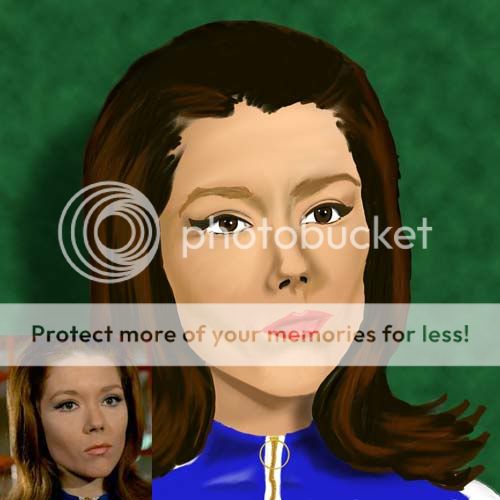
Started this one Saturday (2-4-12) about 8pm while watching COPS and continued til about 1:30 am then finished it the next morning. Total time, about 8 hours. Traced the faced for the line art portion (always feel like I'm cheating when I do that, but I'm confident in my drawing skills, wanted to focus on painting technique.
Used a method that is close to the way I did portraits with Prismacolor pencils. Read a tutorial were the author was all about using a brush (regular round, solid brush) and the eyedropper tool (when blending) instead of "Smudging" or "Blurring". I set my brushes "flow" to 100 select my base color or value and create the shape of the face and neck, then turn the flow down to 1 and start adding shades. Sampling from what you've already colored (instead of snagging another color from the swatch) helps to make the blends smoother.
I did the last portrait "EmmaPeel_Redo" this way. Gotta say I'm diggin it, but with the two of these I did straight color, I didn't do a value painting first then add color... probably should have. Not 100% happy with the hair, that's something I need to just keep practicing on.
Used a method that is close to the way I did portraits with Prismacolor pencils. Read a tutorial were the author was all about using a brush (regular round, solid brush) and the eyedropper tool (when blending) instead of "Smudging" or "Blurring". I set my brushes "flow" to 100 select my base color or value and create the shape of the face and neck, then turn the flow down to 1 and start adding shades. Sampling from what you've already colored (instead of snagging another color from the swatch) helps to make the blends smoother.
I did the last portrait "EmmaPeel_Redo" this way. Gotta say I'm diggin it, but with the two of these I did straight color, I didn't do a value painting first then add color... probably should have. Not 100% happy with the hair, that's something I need to just keep practicing on.
| Thu |
Tuesday, December 27, 2011
Emma Revisited
Sunday, August 21, 2011
Aunt Barb Finished
Finished, colored to the best of my ability with the resources available. Tried to add subtle color shifts in the skin tone, like slight blue reflections on the cheek and neck area that would come from the jacket; a touch of gold from the necklace. I see other artists (that know what they're doing) select a background color first and that or those colors influence the hues of the skin tone. I'm still trying to wrap my head around painting like that, looking for tutorials that show and explain how and why.
Sunday, August 7, 2011
Aunt Barb WIP
A friend (one that I can physically see and talk to… ooh Facebook-jab!) ask me if I could put together photographic collage of her deceased mother and deceased aunt. I agreed to but when she gave me the photos her aunts photo was a photoCOPY of a photocopy (and probably one more generation photocopied.) I told her I needed the original photo. Then she brought me a 5x7 but it was just a photo print she had made from the photocopy : (
I tried again to explain to her that putting her mothers photograph (which was a studio taken shot) next to this photocopy is not going to look good. She told me that that was all she had of her aunt "dressed nice". So at the start of a vacation week I remembered that my uncle kind of had the same situation many years ago with a bad photo of his dad (grandpa on my mothers side) so he got someone to paint a portrait in which the artist used my uncles face to fill in the unclear areas of the photo (like the eyes). So I thought maybe I could do the same.
| Aunt Barb WIP |
LouisDog
Think I'm learning with caricatures to try a variety of different sketches. Instead of trying to nail it on the first try, I'll just make my own distortion and try to make the face fit. I've been kind of following this other artists blog. Seems like that's what he does. This one took about three sketches before I found something that I thought was good.
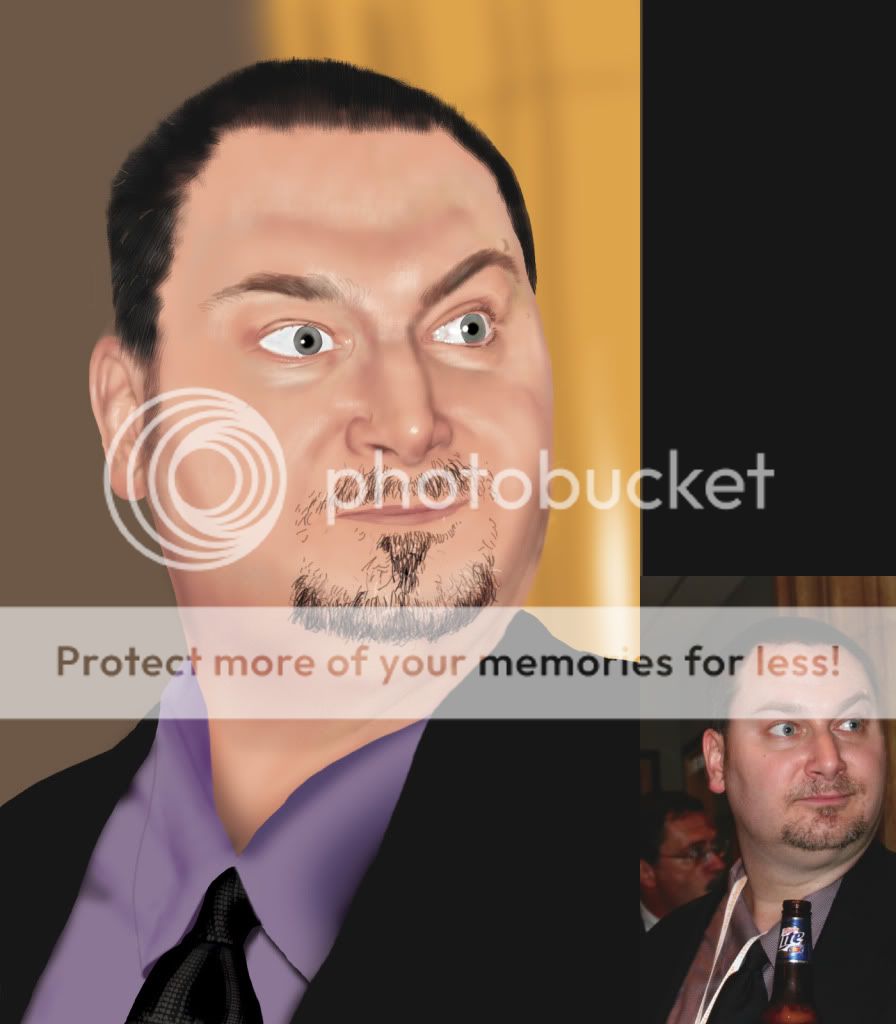
A friend from work. Started it in color but colors were looking kinda funky so I scrapped it and started again in gray. Still need some tweeks, not sure if I'm gonna put a pattern in the shirt or not.
Monday, January 24, 2011
The Infamous Mr. Hahn
This one was a trace. Instead of starting the drawing freehand, I used the photo as a template and traced over it then painted. Don't like doing it that way kinda feels like a cheat, but was looking at PapaNinja's stuff and wanted to try some things with skin tones.
Subscribe to:
Posts (Atom)